
Zmiana rozmiaru dysku EXT4 w locie przy użyciu narzędzia fdisk
Na wyłączonej maszynie wirtualnej w konsoli Proxmox zwiększamy wybrany dysk np. o 8 GB
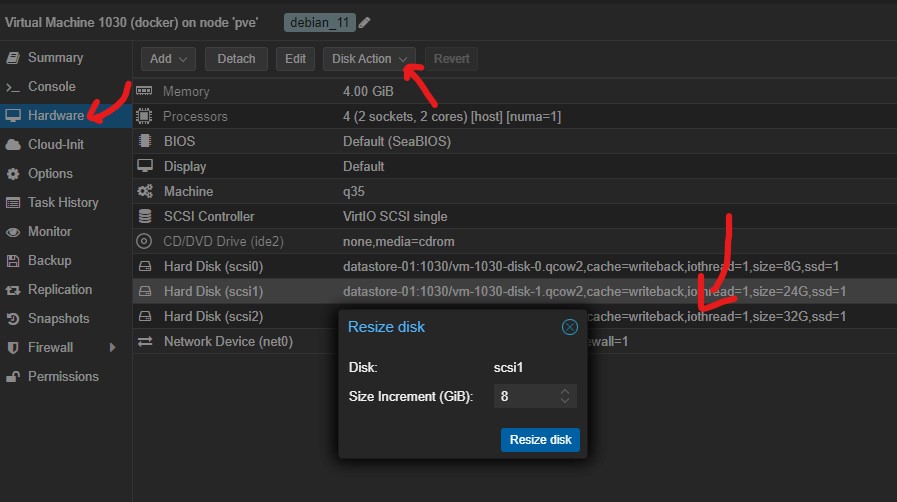
Po uruchomieniu maszyny wirtualnej z konsoli. Należy pamiętać aby nie usuwać istniejącej sygnatury dysku podczas zapisu zmian w programie fdisk.
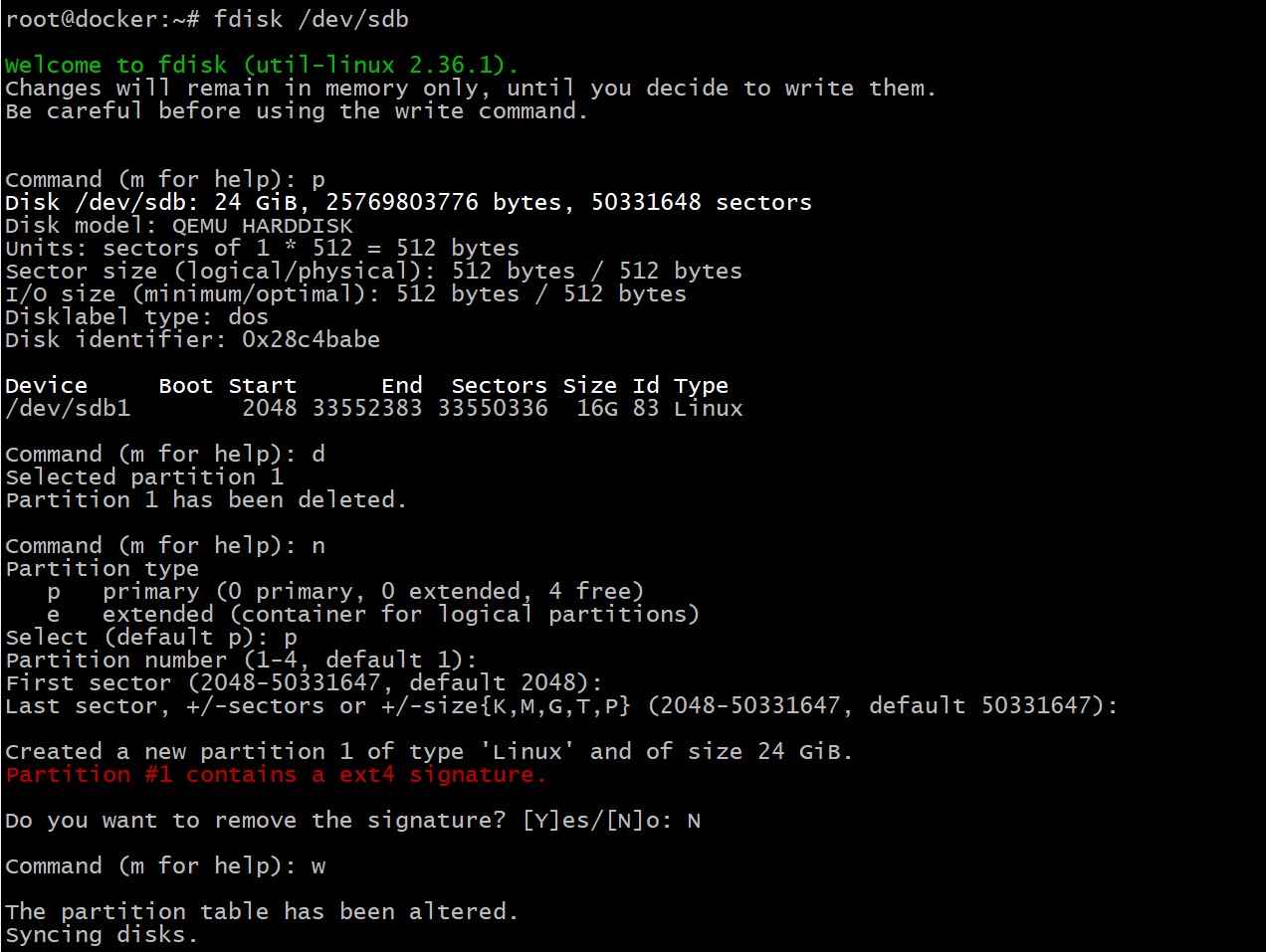
fdisk /dev/sdb

Welcome to fdisk (util-linux 2.36.1).
Changes will remain in memory only, until you decide to write them.
Be careful before using the write command.


Command (m for help): p
Disk /dev/sdb: 24 GiB, 25769803776 bytes, 50331648 sectors
Disk model: QEMU HARDDISK
Units: sectors of 1 * 512 = 512 bytes
Sector size (logical/physical): 512 bytes / 512 bytes
I/O size (minimum/optimal): 512 bytes / 512 bytes
Disklabel type: dos
Disk identifier: 0x28c4babe

Device     Boot Start      End  Sectors Size Id Type
/dev/sdb1        2048 33552383 33550336  16G 83 Linux

Command (m for help): d
Selected partition 1
Partition 1 has been deleted.

Command (m for help): n
Partition type
   p   primary (0 primary, 0 extended, 4 free)
   e   extended (container for logical partitions)
Select (default p): p
Partition number (1-4, default 1):
First sector (2048-50331647, default 2048):
Last sector, +/-sectors or +/-size{K,M,G,T,P} (2048-50331647, default 50331647):

Created a new partition 1 of type 'Linux' and of size 24 GiB.
Partition #1 contains a ext4 signature.

Do you want to remove the signature? [Y]es/[N]o: N

Command (m for help): w

The partition table has been altered.
Syncing disks.

resize2fs /dev/sdb1